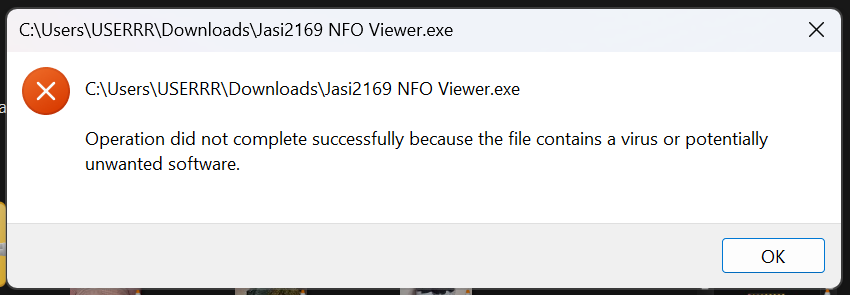
It looks like Windows is still blocking your NFO viewer from running. This specific “Operation did not complete successfully” message confirms that Windows Defender has actively quarantined the file in your Downloads folder.
If you’ve verified that this file is safe – which is common for these types of utility tools being flagged as false positives – you can follow these steps to bypass the block:
Step 1: Restore the File from Quarantine
Since the file has already been “caught,” you need to tell Windows to release it.
- Open Windows Security (search for it in your Start menu).
- Navigate to Virus & threat protection > Protection history.
- Look for the recent entry that mentions
Jasi2169 NFO Viewer.exe. - Click the entry to expand it, then click the Actions button.
- Select Allow or Restore.
Step 2: Add an Exclusion
To prevent Windows from immediately deleting or blocking it again the next time you try to use it:
- In Windows Security, go back to Virus & threat protection.
- Click on Manage settings under “Virus & threat protection settings.”
- Scroll down to the bottom and click Add or remove exclusions.
- Click Add an exclusion and choose File.
- Select the
Jasi2169 NFO Viewer.exefile from your Downloads folder.